
Counter-Strike 1.6 Download – Free Full Version for Windows
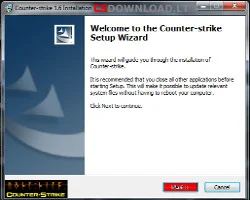
Counter-Strike 1.6 is the classic team shooter that millions of players still enjoy every day. On this page you can download CS 1.6 as a complete, ready-to-play client: install it in a couple of minutes, open the server browser and start playing on Lithuanian and international servers.
Our CS 1.6 setup is the full, uncut game (protocol 48, build 4554) with the standard maps, models and sounds. It comes with the FeNix.lt master server already built in, so the in-game server browser shows a working list of servers – you do not need to type IP addresses by hand.
What is included in our CS 1.6 download
- Full Counter-Strike 1.6 client – nothing cut out
- Game release v43, build 4554
- Protocol 48 – connects to modern CS 1.6 servers
- FeNix.lt master server with a working server browser and favorites
- REVOLUTiON emulator 9.81
- Fixed
sv_lan 0bug - Option to start a listen server in LAN mode
- zBots for offline practice
- Working HLTV
- Standard maps: de_dust2, de_inferno, de_nuke, de_train and more
- Half-Life single-player maps removed – smaller download
- Works on Windows XP, Vista, 7, 8, 8.1 and 10
System requirements
| Operating system | Windows XP / Vista / 7 / 8 / 8.1 / 10 |
|---|---|
| Processor | 500 MHz minimum, 1 GHz or faster recommended |
| Memory | 96 MB RAM minimum, 256 MB recommended |
| Video card | 16 MB minimum, 64 MB recommended |
| Other | Mouse, keyboard and an internet connection for online play |
Counter-Strike 1.6 runs smoothly even on very old computers and laptops, which is one of the reasons it is still so popular.
How to install Counter-Strike 1.6
Installing CS 1.6 takes only one or two minutes:
- Click Download CS 1.6 Setup above.
- Wait until the download is finished.
- Open the downloaded Counter-Strike 1.6.exe file and click Run if Windows asks.
- Click Next in the installer window.
- Choose the folder where you want to install the game.
- Click Next again and wait until the installation finishes.
- Click Finish, start the game from the desktop shortcut and open Find Servers.
Tip: if Windows SmartScreen shows a warning, click More info → Run anyway. Download the game only from the links on this page.
Other Counter-Strike 1.6 versions
Besides the original CS 1.6 we also offer popular custom builds with different models, sounds and menus:
CS 1.6 WarzoneDual protocol 47+48, built-in bots
CS 1.6 XTCSLightweight final release, fast on old PCs
CS 1.6 CS:GO EditionCS:GO models, sounds and buy menu
CS 1.6 Na`ViNatus Vincere style models and design
CS 1.6 LietuviškaLithuanian menus, radio commands and bots
About Counter-Strike 1.6
Counter-Strike started in 1999 as a free modification for Half-Life, created by Minh Le and Jess Cliffe. Valve soon hired the developers and bought the rights to the game, and Counter-Strike 1.0 was released in November 2000. Version 1.6, released in 2003 together with Steam, became the most famous edition and the one most servers still run today.
The idea is simple: two teams – Terrorists and Counter-Terrorists – fight in short rounds. Terrorists try to plant the bomb or hold hostages, while Counter-Terrorists try to defuse the bomb or rescue the hostages. Money earned in each round is used to buy weapons and equipment, so teamwork, aim and economy all matter.
Later Valve released Counter-Strike: Condition Zero, Counter-Strike: Source and Counter-Strike: Global Offensive, but CS 1.6 remains a favorite thanks to its precise gameplay, low system requirements and huge community of servers and mods.
Play on FeNix.lt CS 1.6 servers
After installing the game, join our Lithuanian CS 1.6 servers – Public, GunGame, CSDM, Knife Arena, Dust ONLY and DeathMatch. Please read the server rules, follow your progress in HLstatsX statistics and the Top15 players list, and check the ban list if you have a question about a ban.
Frequently asked questions
Is the Counter-Strike 1.6 download free?
Yes, the download on this page is free. Counter-Strike 1.6 is a game by Valve, so we recommend that you also own the original Steam version; this non-Steam client is intended for personal use.
Does CS 1.6 work on Windows 10?
Yes. Our CS 1.6 client works on Windows XP, Vista, 7, 8, 8.1 and Windows 10.
Will the server browser show servers after installation?
The FeNix.lt master server is built into the client, so the server browser shows a working list of CS 1.6 servers right after installation, and you can save your favorites.
Can I play Counter-Strike 1.6 offline with bots?
Yes. zBots are included, so you can create a LAN game and practice against bots without an internet connection.