
Download CS 1.6 Original – Full Counter-Strike 1.6 Install
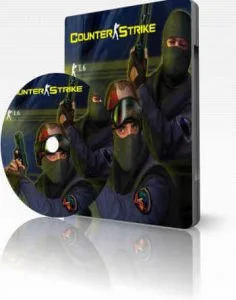
This is the original Counter-Strike 1.6 client – the full, uncut game in a single installer. It keeps the classic look and feel of CS 1.6 while adding the things you need today: a working server browser, the latest protocol and bots for offline practice.
The package includes the standard maps (de_dust2, de_nuke, de_train, de_inferno and others), the original models and sounds, and the FeNix.lt master server, so Lithuanian and international servers appear in the server list right after installation. Download it with one click using the button below.
Features of the original CS 1.6 client
- Full game, nothing cut out
- Release v43, build 4554
- Protocol 48 (latest)
- FeNix.lt master server – working server browser and favorites
- REVOLUTiON emulator 9.81
- Fixed
sv_lan 0bug - Listen server option in LAN mode
- zBots included
- Working HLTV
- Half-Life maps removed – smaller size
- Works on Windows XP, Vista, 7, 8, 8.1 and 10
System requirements
| Operating system | Windows XP / Vista / 7 / 8 / 8.1 / 10 |
|---|---|
| Processor | 500 MHz (1 GHz recommended) |
| Memory | 96 MB RAM (256 MB recommended) |
| Video card | 16 MB (64 MB recommended) |
How to install CS 1.6
- Click the Download button above and wait until the file is downloaded.
- Open the downloaded installer and click Run if Windows asks.
- Click Next, choose the installation folder and confirm.
- Wait until the installation is finished and click Finish.
- Start the game from the desktop shortcut, open Find Servers and join a server.
Counter-Strike 1.6 is a Valve game. We recommend owning the original Steam version; this non-Steam client is intended for personal use.
Frequently asked questions
Is this the full version of Counter-Strike 1.6?
Yes. It is the complete CS 1.6 client with all standard maps, models and sounds. Only the Half-Life single-player maps were removed to make the download smaller.
Can I play online with this CS 1.6 version?
Yes. The client uses protocol 48 and includes the FeNix.lt master server, so you can find and join online servers from the in-game server browser.
Does it include bots?
Yes, zBots are included, so you can practice offline in a LAN game.
Other Counter-Strike 1.6 versions
Looking for the standard client? See the main Counter-Strike 1.6 download page with step-by-step installation guide and video tutorials.
Parsisiųsti Counter-Strike 1.6 lietuvišką versiją
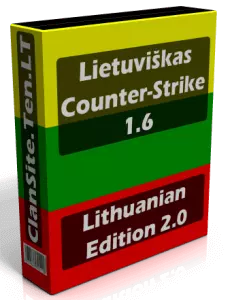
Counter-Strike 1.6 lietuviška versija – visiškai atnaujintas CS 1.6 su išverstu meniu, lietuviškomis radijo komandomis ir lietuviškai įgarsintais garsais. Žaidimas naudoja 47 ir 48 protokolus ir naujausią Gold Source variklį, todėl prisijungsite beveik prie bet kurio serverio.
Žaidimas palaiko HD modelius: žaidėjų, ginklų ir amunicijos modeliai labai detalūs, o garsai pakeisti ir įdomūs – atrodys, lyg žaistumėte visai kitą žaidimą. Lietuviški botai turi lietuviškus vardus ir lietuviškas radijo komandas.
Žaidimo ypatybės
- Išverstos tekstinės radijo komandos
- Išverstas apsipirkimo meniu
- Išverstas komandos pasirinkimo meniu
- Išverstas pagrindinis meniu
- Lietuviški botai su lietuviškais vardais
- Lietuviškos botų radijo komandos
- Lietuviškai įgarsintos žaidėjų radijo komandos
- Lietuviški garsai: „Teroristai laimėjo“, „Granata“, „Bomba padėta“ ir kt.
- HD žaidėjų, ginklų ir amunicijos modeliai
- Naujausias Gold Source variklis, 47 + 48 protokolai
- Veikia su Windows XP, Vista, 7, 8, 8.1 ir 10
Kaip įdiegti lietuvišką CS 1.6
- Paspauskite mygtuką Parsisiųsti ir palaukite, kol failas atsisiųs.
- Atidarykite atsisiųstą diegimo failą ir, jei Windows paklaus, spauskite Run.
- Spauskite Next, pasirinkite aplanką, kur įdiegti žaidimą.
- Palaukite, kol diegimas baigsis, ir spauskite Finish.
- Paleiskite žaidimą, atidarykite Find Servers ir junkitės prie serverio.
Dažni klausimai
Ar lietuviška CS 1.6 versija nemokama?
Taip, atsisiuntimas šiame puslapyje nemokamas. Counter-Strike 1.6 yra Valve žaidimas, todėl rekomenduojame turėti ir originalią Steam versiją.
Ar galima žaisti internete?
Taip. Žaidimas palaiko 47 ir 48 protokolus, todėl prisijungsite prie daugumos CS 1.6 serverių, tarp jų ir FeNix.lt serverių.
Ar yra botai?
Taip, įdėti lietuviški botai su lietuviškais vardais ir radijo komandomis.
Kitos Counter-Strike 1.6 versijos
Originalų žaidimą ir diegimo instrukciją rasite Counter-Strike 1.6 atsisiuntimo puslapyje.
Download Counter-Strike 1.6 Na`Vi Edition
CS 1.6 Na`Vi is a Counter-Strike 1.6 build dedicated to Natus Vincere – one of the most famous teams in CS history. The menu, background, music, models and interface are designed in Na`Vi style, while the gameplay stays classic CS 1.6.
The build is carefully assembled and stable, with very strong bots for practice and built-in protection against spam and malicious servers. It is a good choice if you want a fresh look but the same CS 1.6 you know.
CS 1.6 Na`Vi features
- Professionally assembled build
- Stable on Windows XP, Vista, 7, 8 and 10
- Unique SteamID
- Very strong bots
- Na`Vi-style hands, player and weapon models
- Na`Vi-style menu, background and music
- Protection against hacking and malicious servers
- Stable server search
- Download size 179 MB
About Natus Vincere
Natus Vincere (Latin for “born to win”) is a Ukrainian esports organization founded on 17 December 2009. In 2010 its Counter-Strike team became the first in esports history to win the three biggest tournaments of the year. The original roster included Zeus, Edward, starix, ceh9 and markeloff – players who became legends of CS 1.6.
How to install CS 1.6 Na`Vi
- Click the Download button above and wait until the file is downloaded.
- Open the downloaded installer and click Run if Windows asks.
- Click Next, choose the installation folder and confirm.
- Wait until the installation is finished and click Finish.
- Start the game from the desktop shortcut, open Find Servers and join a server.
Frequently asked questions
Is CS 1.6 Na`Vi an official Natus Vincere release?
No. It is a fan-made Counter-Strike 1.6 build designed in Natus Vincere style.
How big is the CS 1.6 Na`Vi download?
The installer is about 179 MB.
Can I play CS 1.6 Na`Vi online?
Yes. The build has a working server search, so you can join online CS 1.6 servers.
Other Counter-Strike 1.6 versions
Looking for the standard client? See the main Counter-Strike 1.6 download page with step-by-step installation guide and video tutorials.
Counter-Strike 1.6 CS:GO Edition Download
CS 1.6 CS:GO Edition brings the look and sound of Counter-Strike: Global Offensive to the classic CS 1.6 gameplay. You keep the fast, precise feel of 1.6, but with modern-looking models, sounds and menus.
Players and hostages use high-quality models from Global Offensive with detailed textures. All weapons were upgraded – every model was redesigned, and some changed completely. The sounds are new too, and when you start the game you see a new interface with CS:GO-style background and music. The buy menu and HUD were rebuilt in CS:GO style, and the radar is black like in GO.
CS 1.6 CS:GO Edition features
- CS:GO player models
- CS:GO hostage models
- CS:GO hands and weapon models
- CS:GO sounds
- CS:GO music in the main menu
- CS:GO-style GUI, HUD and buy menu
- Black CS:GO-style radar
- Bots – press H to open the bot menu
- Fast installation – about 3 minutes
- Download size about 400 MB
- Works on Windows XP, Vista, 7, 8, 8.1 and 10
How to install CS 1.6 CS:GO Edition
- Click the Download button above and wait until the file is downloaded.
- Open the downloaded installer and click Run if Windows asks.
- Click Next, choose the installation folder and confirm.
- Wait until the installation is finished and click Finish.
- Start the game from the desktop shortcut, open Find Servers and join a server.
Frequently asked questions
Is CS 1.6 CS:GO Edition the same as CS:GO?
No. It is Counter-Strike 1.6 with CS:GO-style models, sounds and menus. The gameplay and physics stay the same as in CS 1.6, and it runs on much weaker computers than CS:GO.
How do I add bots in CS 1.6 CS:GO Edition?
Start a new game and press H to open the bot menu, where you can add or remove bots.
How big is the CS:GO Edition download?
About 400 MB, because it includes many high-quality models and sounds.
Other Counter-Strike 1.6 versions
Looking for the standard client? See the main Counter-Strike 1.6 download page with step-by-step installation guide and video tutorials.
Counter-Strike 1.6 WaRzOnE Download
Counter-Strike 1.6 WaRzOnE is one of the best-known CS 1.6 builds. It was released by the WaRzOnE team on 15 March 2013 and is still popular because it connects to both old and new servers and comes with strong bots out of the box.
Thanks to dual protocol (47 + 48) you can join practically any Counter-Strike 1.6 server. The client also includes protection against “slowhack” servers – servers that try to change your game settings or binds without permission – and a working server browser with Internet, Favorites and LAN tabs.
CS 1.6 Warzone features
- Joins both protocol 47 and protocol 48 servers
- Server browser with Internet, Favorites and LAN tabs
- Full protection against slowhack servers
- Latest-generation bots
- Metamod-P v1.21p37 included
- AMX Mod X v1.8.2 included
- Engine version 1.1.2.6, build 4554
- Download size about 175 MB
System requirements
| Minimum | Recommended | |
|---|---|---|
| Processor | 500 MHz | 1000 MHz |
| Memory | 96 MB RAM | 256 MB RAM |
| Video card | 16 MB | 64 MB |
| Operating system | Windows XP / Vista / 7 / 8 / 8.1 / 10 | |
How to install CS 1.6 Warzone
- Click the Download button above and wait until the file is downloaded.
- Open the downloaded installer and click Run if Windows asks.
- Click Next, choose the installation folder and confirm.
- Wait until the installation is finished and click Finish.
- Start the game from the desktop shortcut, open Find Servers and join a server.
Frequently asked questions
What does dual protocol 47+48 mean?
Older Counter-Strike 1.6 servers use protocol 47 and newer ones use protocol 48. CS 1.6 Warzone supports both, so you can join almost any server.
Is CS 1.6 Warzone safe from slowhack servers?
The build includes protection that blocks servers from changing your config, binds or other settings without your permission.
How big is the CS 1.6 Warzone download?
The installer is about 175 MB.
Other Counter-Strike 1.6 versions
Looking for the standard client? See the main Counter-Strike 1.6 download page with step-by-step installation guide and video tutorials.
Download XTCS Counter-Strike 1.6 – Final Release 2011
XTCS Counter-Strike 1.6 Final Release is a compact, fast version of CS 1.6. Unneeded Half-Life engine components were removed, which makes the installer smaller and the game lighter – ideal for older computers and laptops.
During installation you can choose the original game version or the modified one with bots. The game is updated to protocol 48 (build 4554), so it works on current servers, and the semi-transparent game menu was removed to give a few extra FPS on weak hardware.
What is new in XTCS CS 1.6
- Choice between the original version and the modified version with bots
- Smaller download – unnecessary Half-Life components removed
- Updated to protocol 48, build 4554 (release V43)
- Menu transparency removed for higher FPS on old PCs
- Working server browser with master server, Internet and Favorites
- REVOLUTiON emulator
- Listen server option in LAN mode
- Bots included
- HLTV included and working
- Ads removed, anti-slowhack tool included
System requirements
| Minimum | Recommended | |
|---|---|---|
| Processor | 500 MHz | 800 MHz |
| Memory | 96 MB RAM | 128 MB RAM |
| Video card | 16 MB | 32 MB or more |
| Operating system | Windows XP / Vista / 7 / 8 / 8.1 / 10 | |
How to install XTCS CS 1.6
- Click the Download button above and wait until the file is downloaded.
- Open the downloaded installer and click Run if Windows asks.
- Click Next, choose the installation folder and confirm.
- Wait until the installation is finished and click Finish.
- Start the game from the desktop shortcut, open Find Servers and join a server.
Frequently asked questions
Is XTCS good for old computers?
Yes. XTCS is one of the lightest CS 1.6 versions: it needs only a 500 MHz processor, 96 MB of RAM and a 16 MB video card.
Can I install the original CS 1.6 with the XTCS installer?
Yes. The installer lets you choose between the original game version and the modified version with bots.
Does XTCS CS 1.6 work online?
Yes. It uses protocol 48 and includes a working server browser with a master server and favorites.
Other Counter-Strike 1.6 versions
Looking for the standard client? See the main Counter-Strike 1.6 download page with step-by-step installation guide and video tutorials.